Curling Scoreboard started as one page. You opened it on whatever device was sitting by the sheet, tapped in the score as the ends went by, and that was the whole product. No accounts, no install, nothing to manage.
That version still exists, and it still works exactly that way. But over the past few months it has grown into a managed system a club can run across every sheet in the building, with leagues, bonspiels, displays in the warm room and on a stream, and a way to get the scores back out into the club's own website. We have developed this with Windy City Curling in Villa Park, IL where its up and running today.
This post is a tour of what's there now.
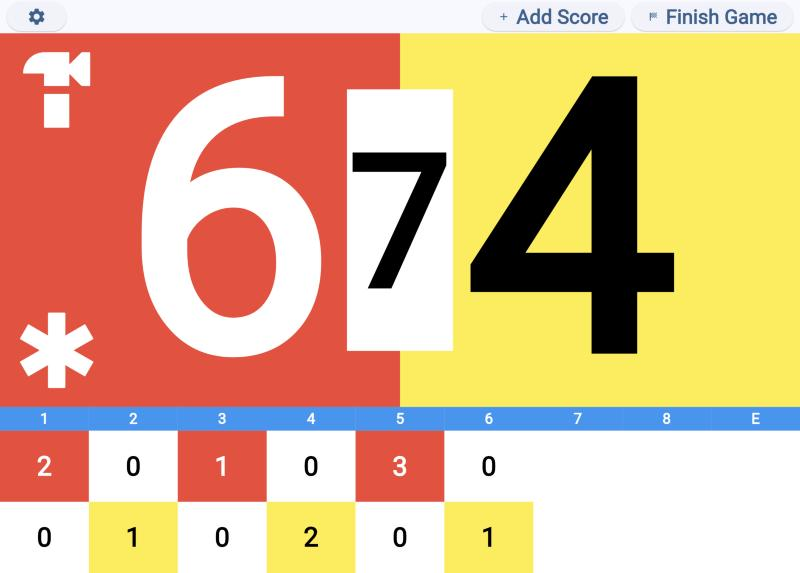
The scoreboard still works alone
Worth saying up front, because it shapes everything else: nothing about scoring depends on the backend.
An unpaired scoreboard is the original app. Open the page, start a game, keep score. If a club pairs its scoreboards and the internet goes down mid-draw, scoring carries on as if nothing happened, and the scores sync when the connection comes back. Writes are fire-and-forget by design, so a failed sync can never interrupt a game in progress.
Pairing adds syncing. It doesn't add a dependency.
Scoreboards that belong to a club
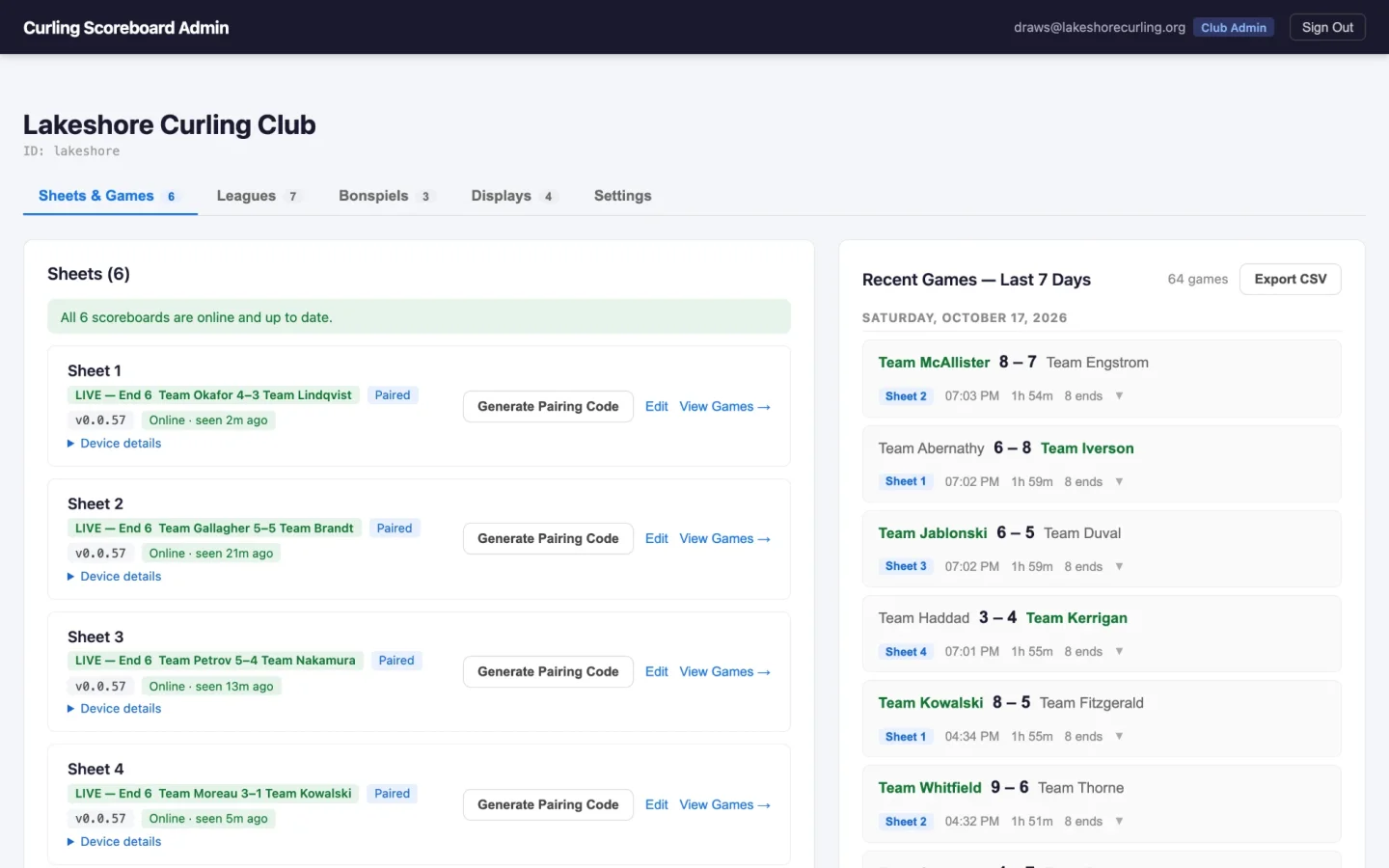
A club has sheets, and each sheet has a scoreboard paired to it. An admin generates a six character code for a sheet in the portal, someone types it into the scoreboard once, and from then on that device is that sheet.
Once paired, the scoreboard reports on itself every half hour to ensure the basics of the system are working. The portal shows each sheet's scoreboard as online or offline, flags one running an old build as "Update pending", and surfaces the last failed sync, which is otherwise invisible because scoring never blocks on the network.
Disconnecting is deliberately hard to do by accident, because scoreboards sit in public where anyone can tap at them. The setup screen just says "Connected as club – sheet". Press and hold that for four seconds, with a ring filling in as you go, and you get a dialog with a Disconnect button that asks for the club's admin PIN before it will let go of the sheet. If something is broken on the tablet you also have the ability to disconnect a tablet from the admin panel.
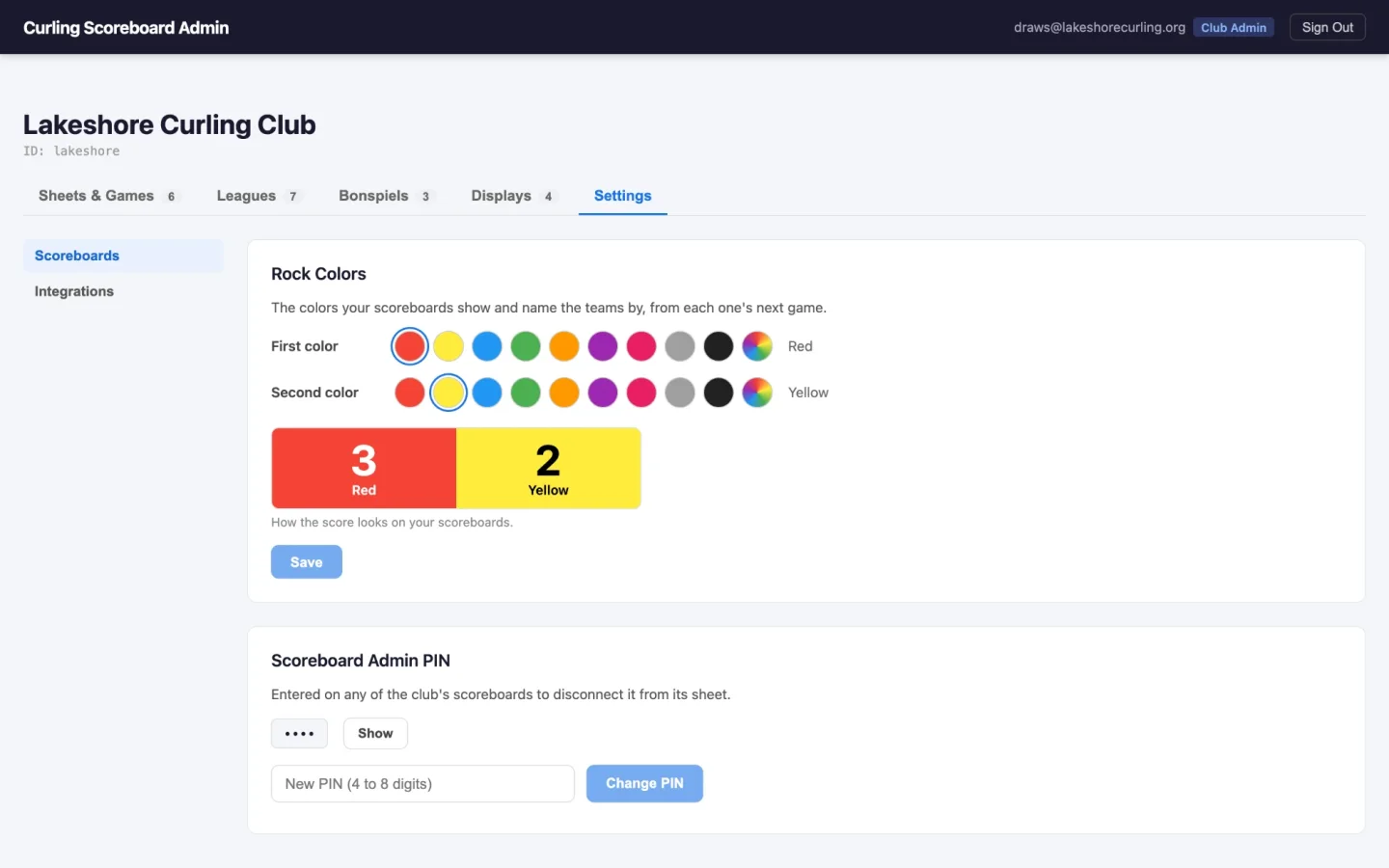
Clubs that play with colors other than red and yellow pick theirs in the portal, and the paired scoreboards update. The colors are read when a game starts, so a change never lands in the middle of one, and each scoreboard remembers the last colors it saw so it still comes up right if it boots before the network does.
Leagues, and teams that are actually named
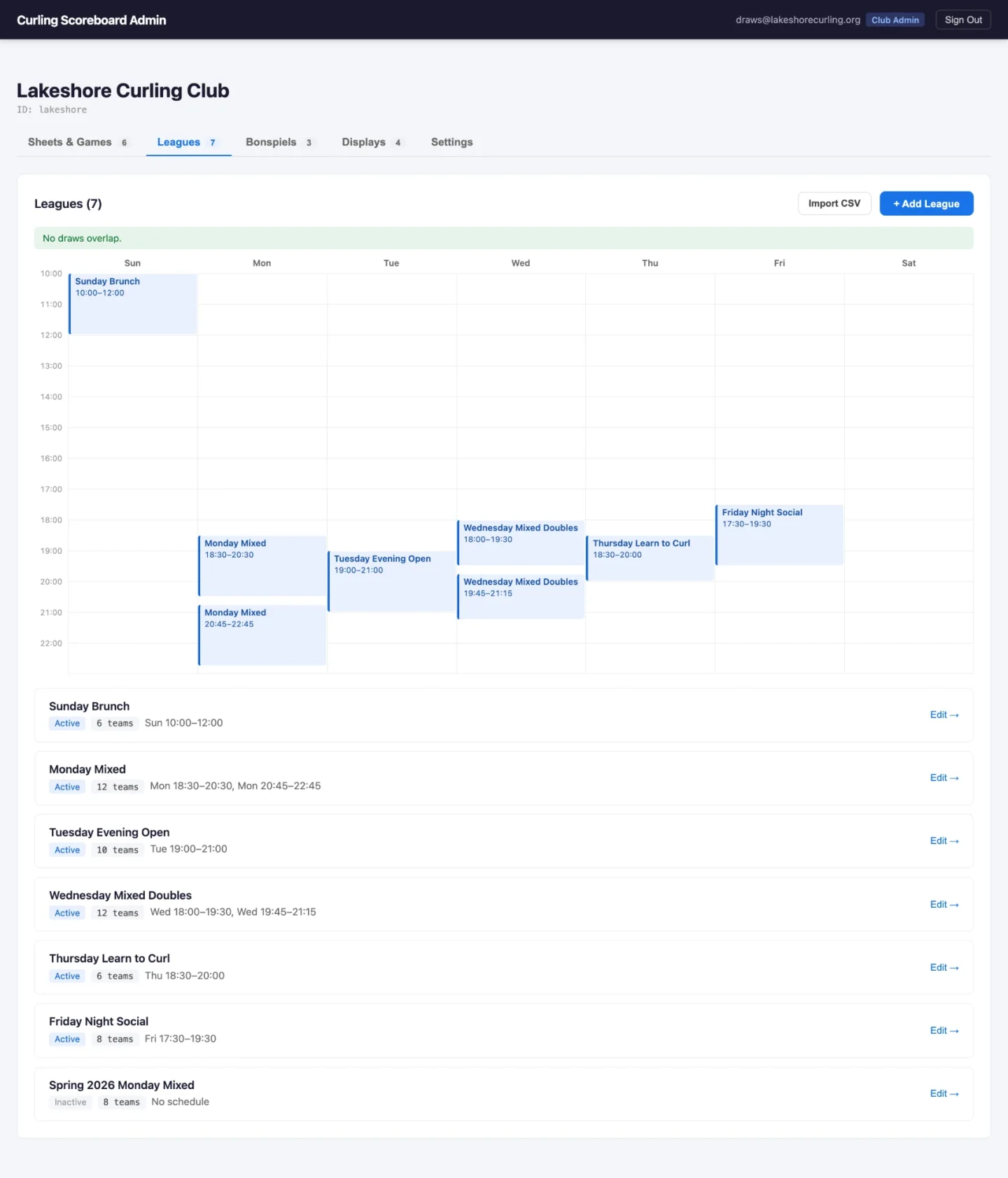
The biggest change for a regular club night: a game can know which league it belongs to and which teams are playing.
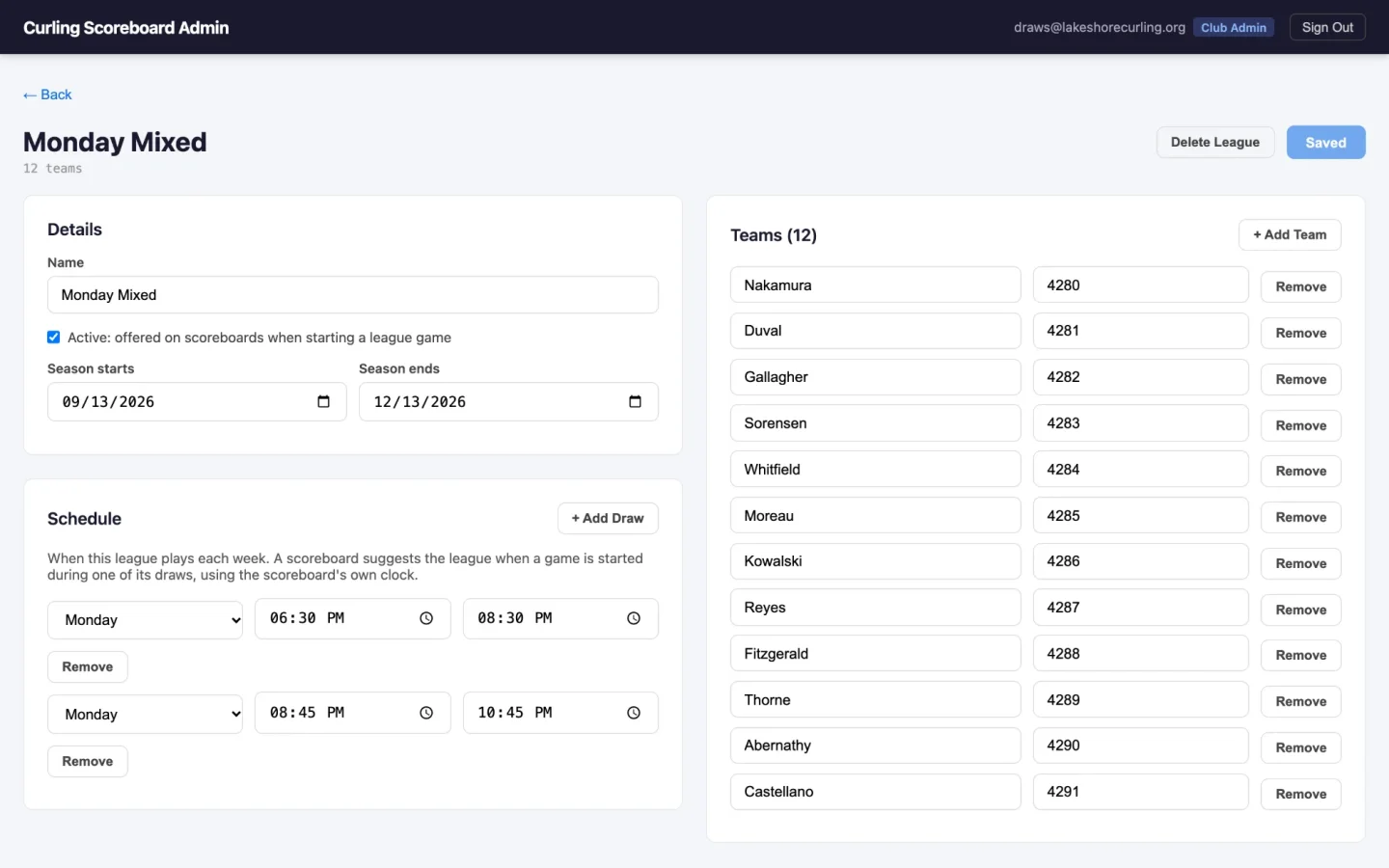
A club admin sets up each league with its weekly draw times and its teams, either by hand or by importing a CSV with the data. The import is parsed in the browser and shows you exactly what would be added, renamed and removed before it writes anything. Teams keep a stable ID across renames and re-imports, so re-importing your roster next season doesn't orphan the games already recorded against a team.
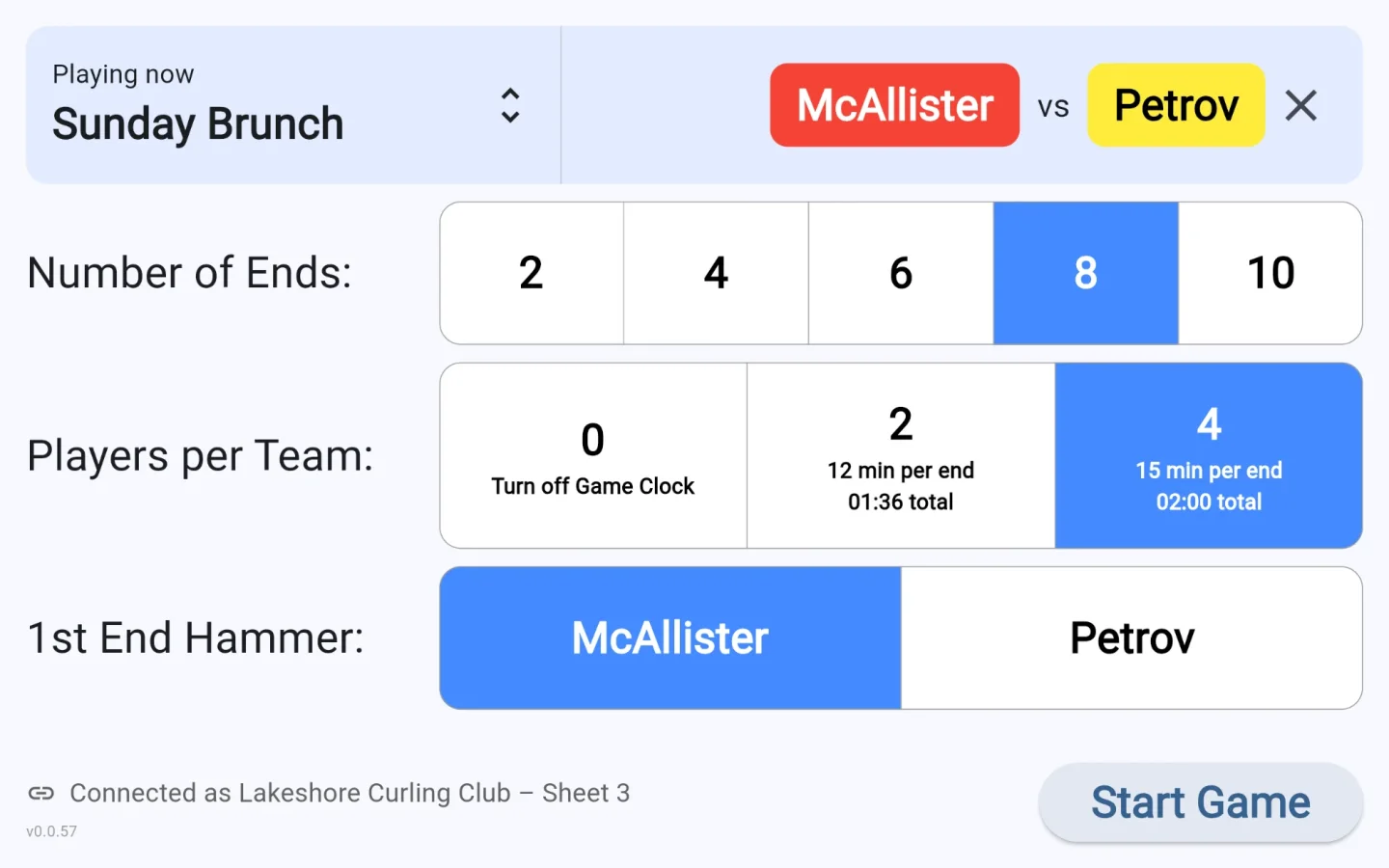
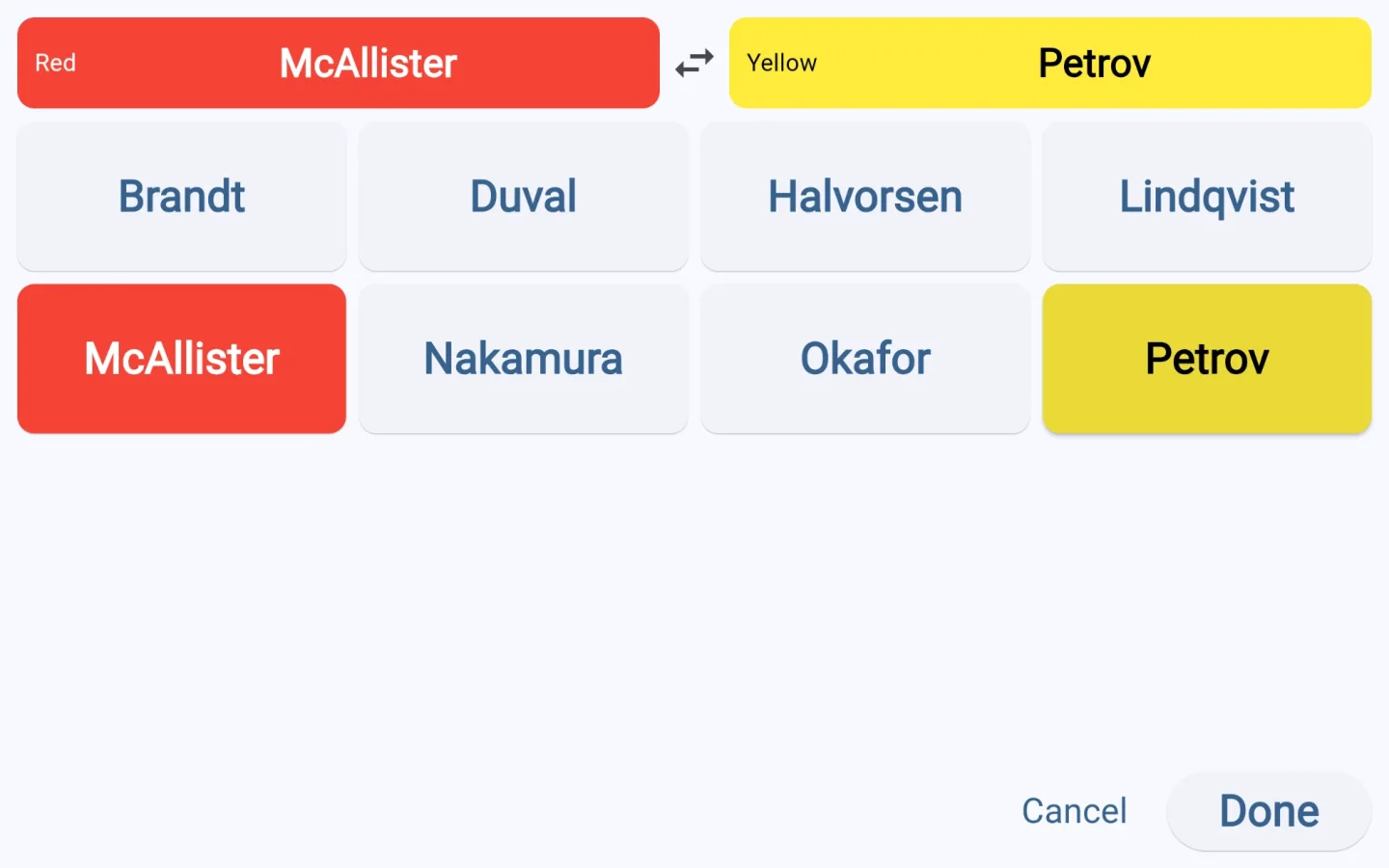
On the scoreboard, this shows up as one bar above the normal setup screen. Leave it alone and you get an open game, exactly as before. The bar follows the scoreboard's own clock: if a league is in its draw window, which is configurable in the admin panel, it names that league and marks it as playing now. Tapping through opens a full screen team picker, every team one large button on a fixed grid, sized for mitts and for being read from a few feet away.
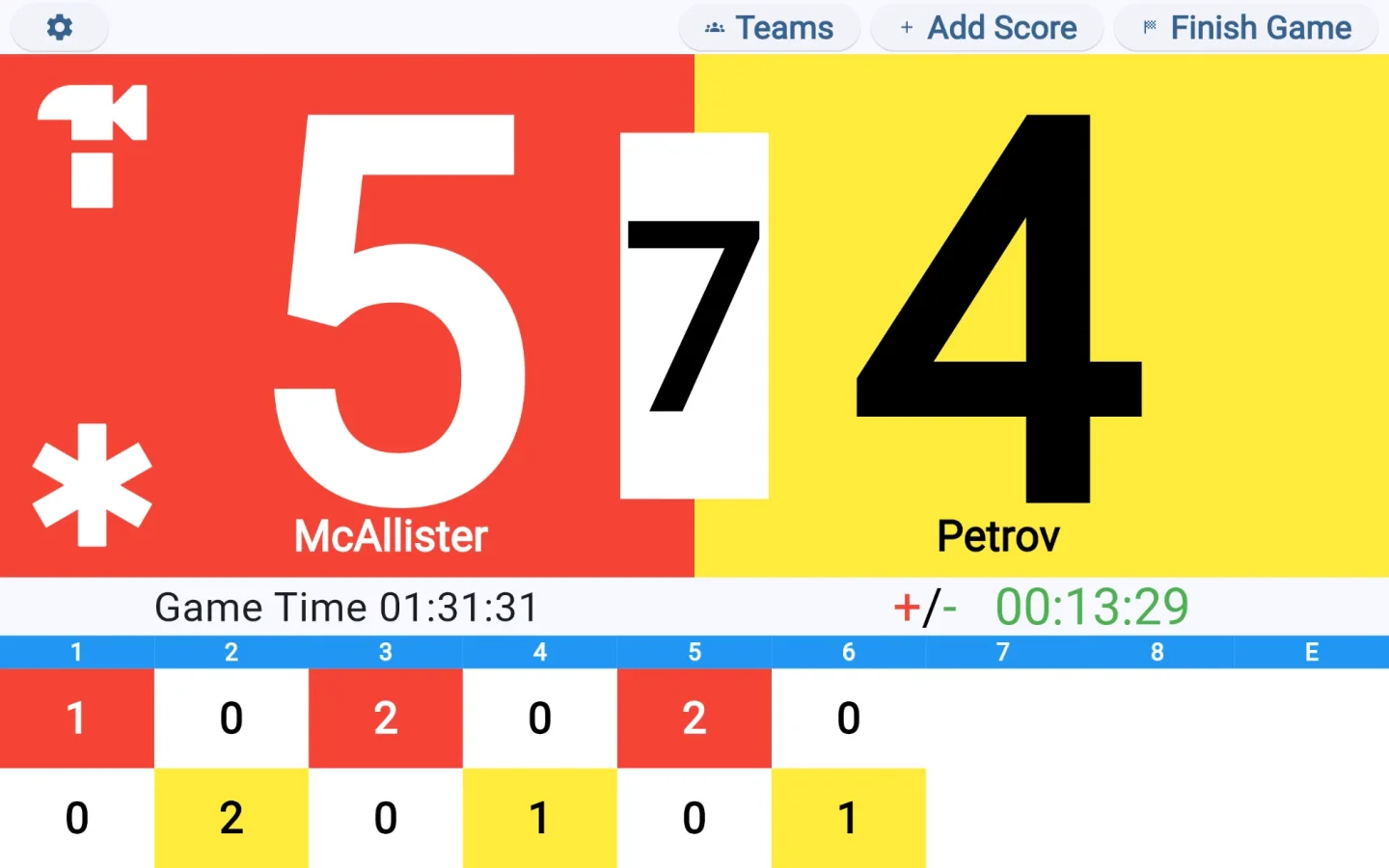
Once teams are picked, both names sit under the total scores on their rock colors, so the players can check that whoever set it up got it right. And if it's wrong the Teams button re-picks them at any point until the game is finished.
The league and each team's ID ride along with the game, including the external ID from the club's own league software if the import supplied one. That's what makes the scores useful to anything downstream.
Bonspiels
Bonspiels were the hard part, and the most recent.
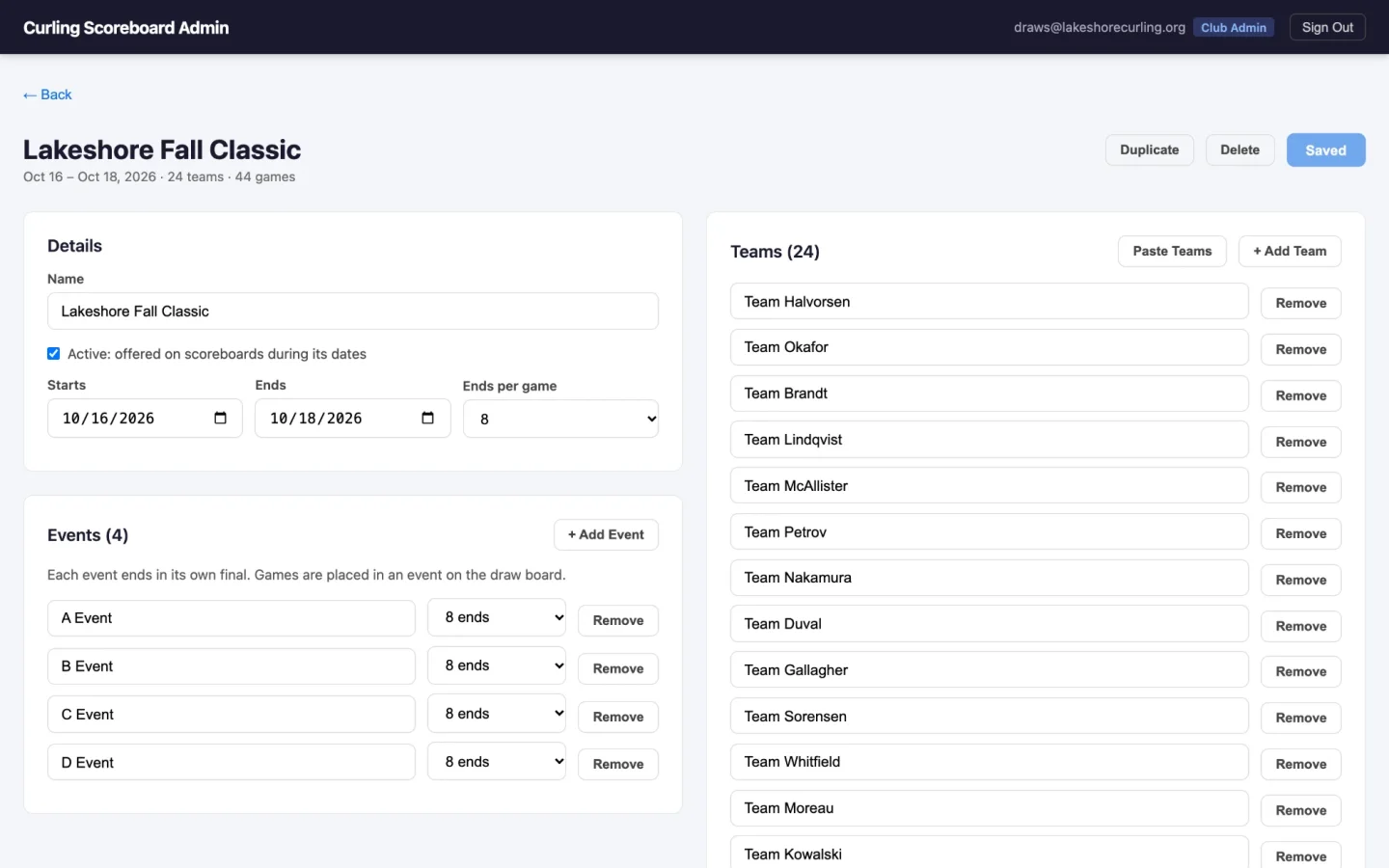
The format changes from one bonspiel to the next, so the system doesn't store formats. A bonspiel is a list of games, and each side of each game says where its team comes from: a team the coordinator placed, the winner or loser of a game in an earlier draw, a finishing place out of a pool, or not decided yet. An A/B/C knockout, a round robin into a playoff, and games placed entirely by hand are all just different ways of writing that down.
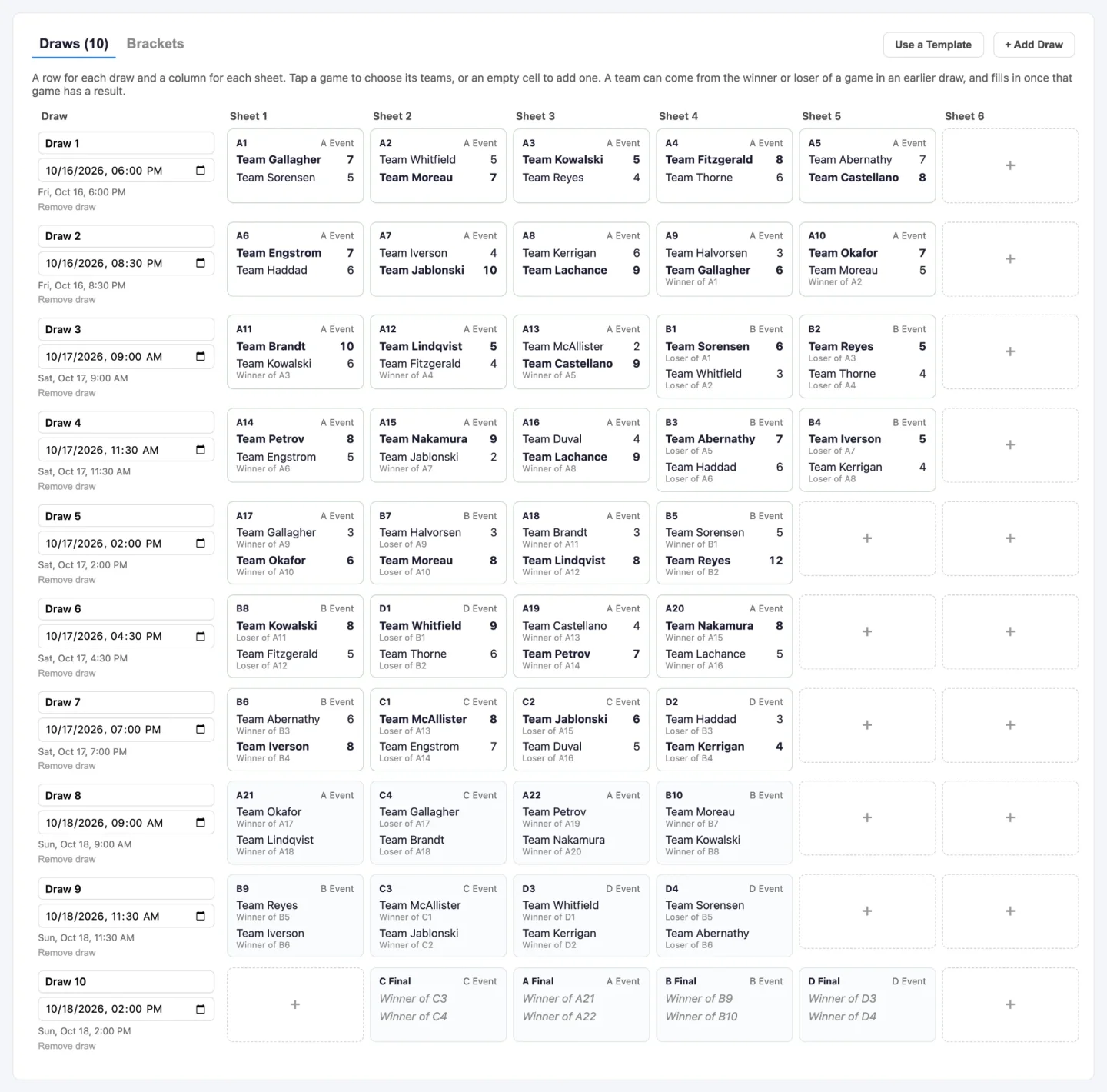
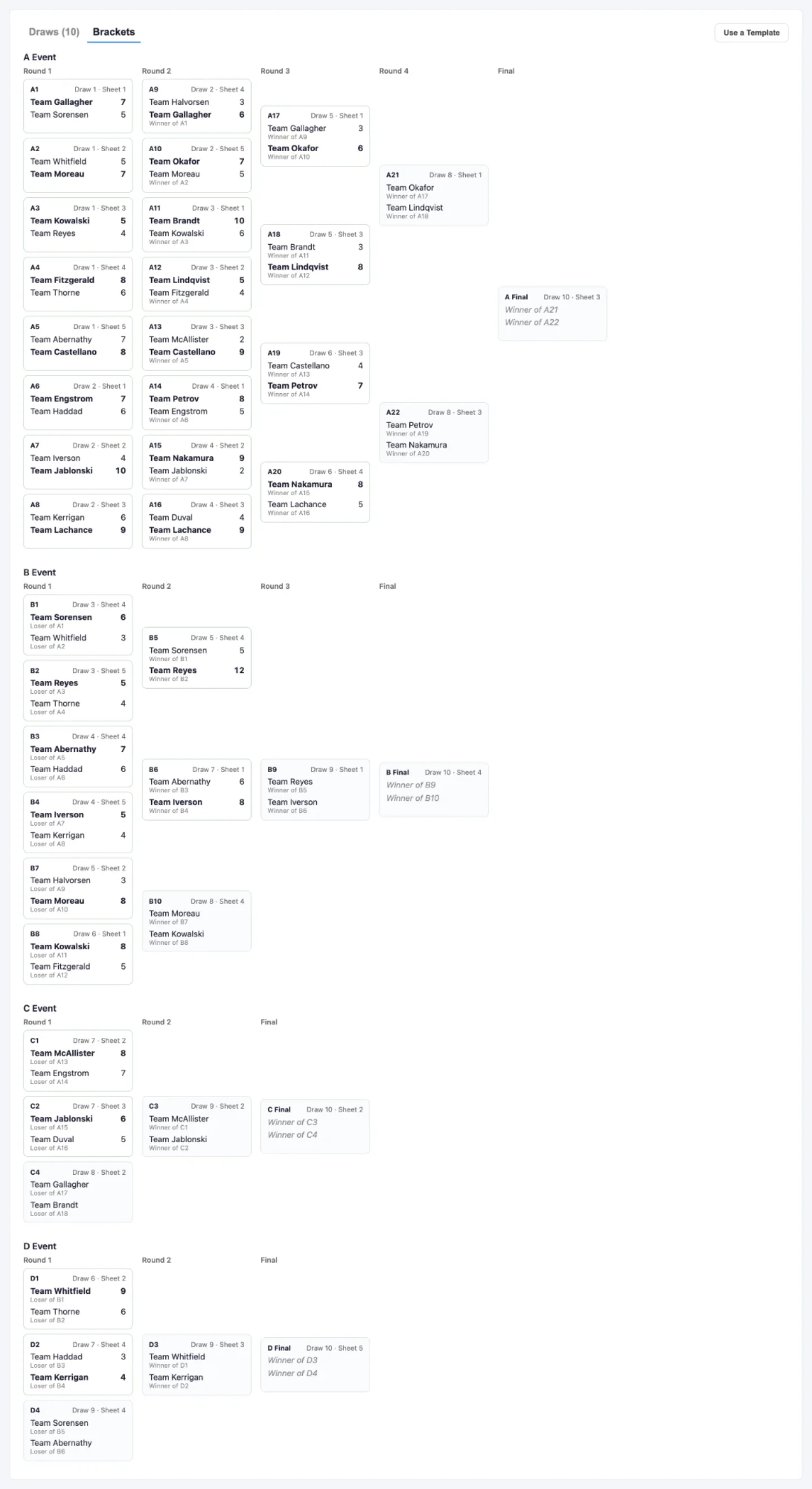
Coordinators plan it on a draw board. Tap a game to set its teams or its result, tap an empty cell to add one. Beside that, a bracket view lays out each event in rounds and names the winner once there is one. Pools show standings instead, ranked on points, then on the games between the tied teams, and then by an order the coordinator sets after a last stone draw or a tiebreak game.
You don't have to build a bracket from scratch. A knockout template fills in a whole bonspiel for up to 64 teams across as many as four events, with losers dropping down the way most club spiels run it, with byes handled so no team gets two. A pools template splits teams into round robins and feeds the top finishers into a playoff. What either one produces is an ordinary plan you can then edit by hand. And Duplicate copies a bonspiel's events, draws and games onto new dates to run the whole thing again next year.
But planning is only the first part. During the bonspiel, each sheet's scoreboard offers that sheet's game in the current draw. A side that isn't known yet shows where it's coming from — "Winner of A3", "Pool A #1" — and fills in on its own as results land. The scoreboard also records who actually played, which wins over the plan, so a last minute team swap still sends the right team on to the next game.
Because a bonspiel weekend is its own job, there's a bonspiel admin role that can plan spiels and read game history and change nothing else. Hand it to the spiel coordinator and nothing else about the club is exposed.
Screens around the club
Scores are more useful on a wall than in a browser tab, so there are three screens a club can put up, and all of them read from the live games as they're entered.
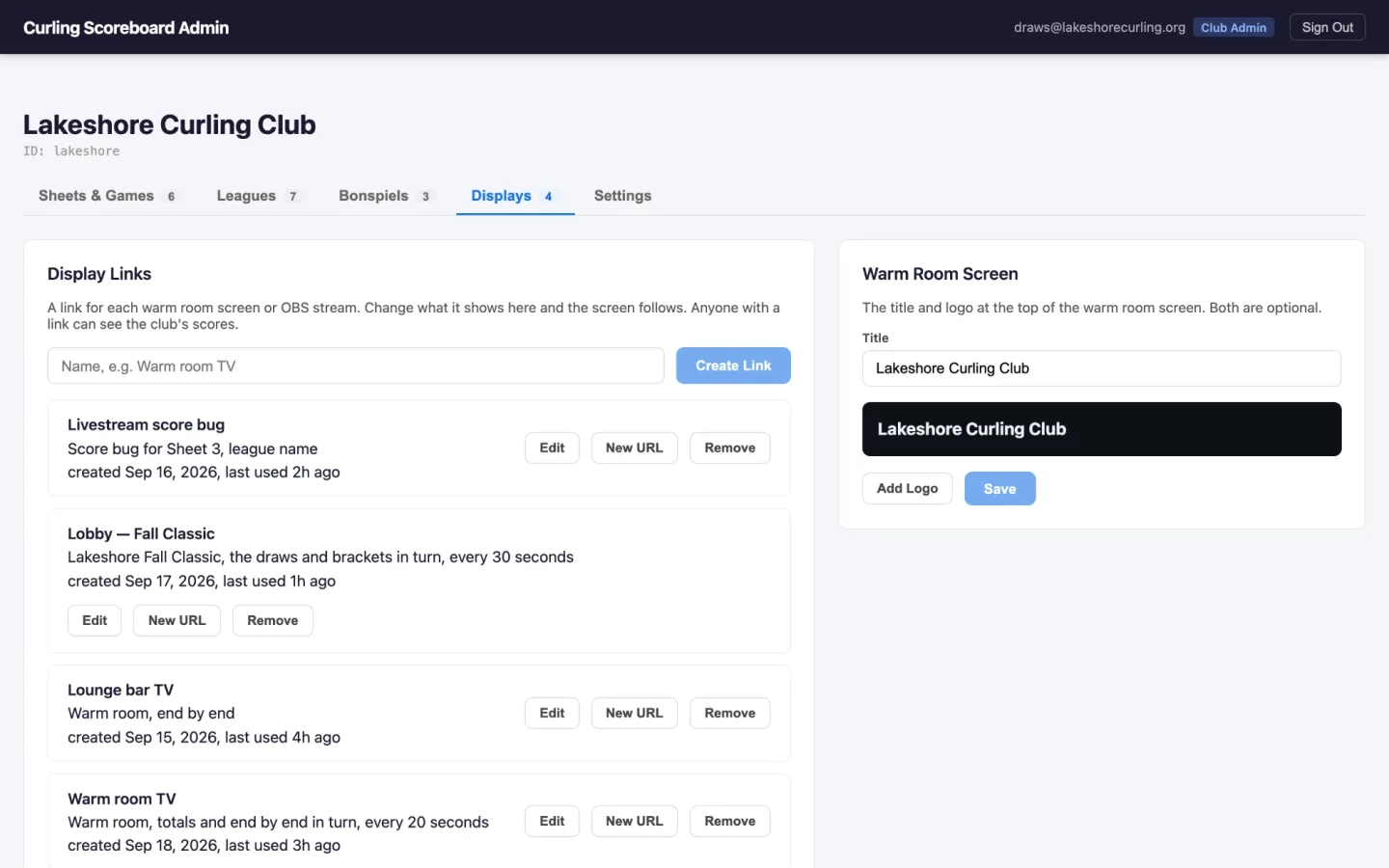
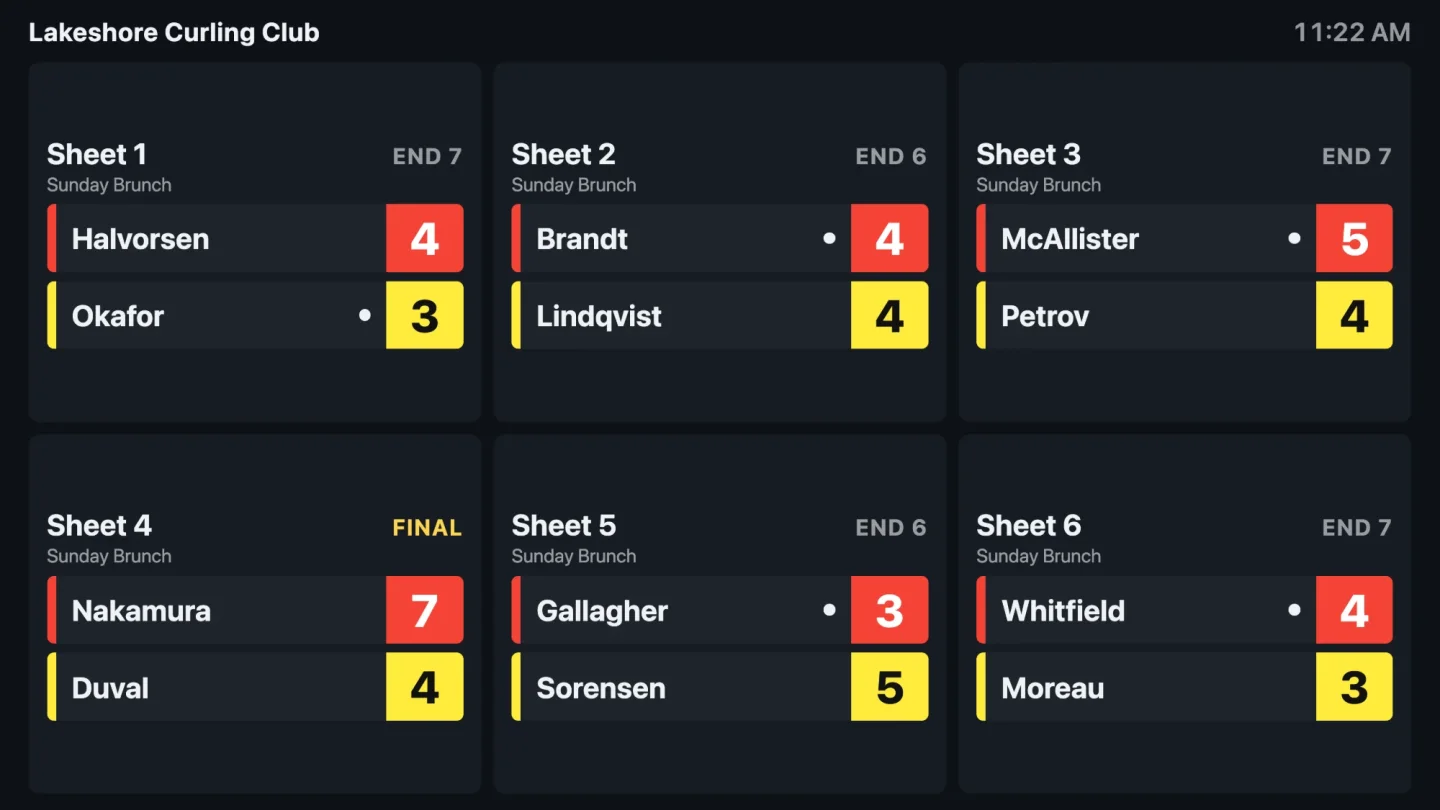
The warm room screen shows every sheet at once on a TV. It figures out the best column layout for however many sheets you have and sizes everything from there, so it fills a 1080p screen, a 4K screen, or one turned on its side, without scrolling. Each card has the sheet, the current end or Final, the league, and both teams on their rock colors with the hammer. An idle sheet dims and says "No game". A club can put its own title and logo in the title bar for a bit of customization.
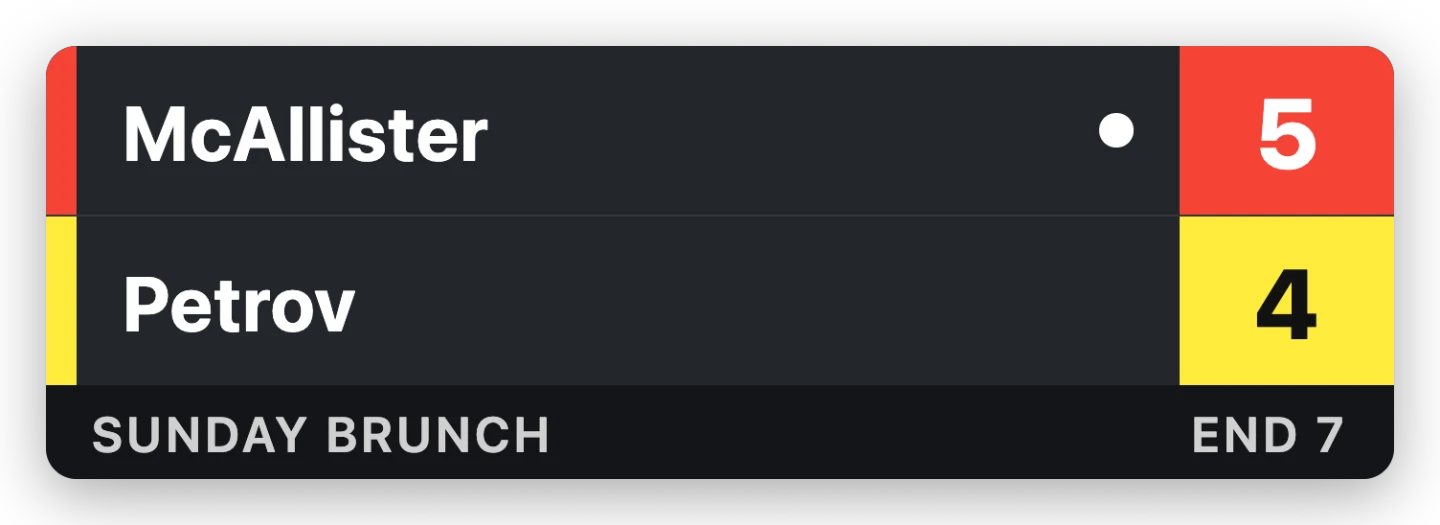
The score bug is for streams. It's a transparent page you drop into your streaming software as a browser source, showing the two teams, their colors, the scores, the hammer, and the end. And it hides itself entirely when the sheet is idle. There's a preview mode for setting it up, which shows a faded stand-in at the bug's real size when no game is on, so you can place it in OBS between draws instead of guessing.
The bonspiel screen is for a spiel weekend. This will cycle through the draw that's on right now as large cards with live scores, the next draw as a list, a full schedule grid, and the brackets.
Each screen gets its own link from the portal, and the link's URL never has to change. What the screen shows is a setting on the link, so you can point a TV at a different sheet or switch a stream from the score bug to the warm room from the portal and the screen follows within seconds. The screens are built to be left running for weeks. Everything retries, and a screen that loses its connection keeps showing the last scores it had rather than going blank until it reconnects.
Getting the scores out
Based on your needs we have two options.
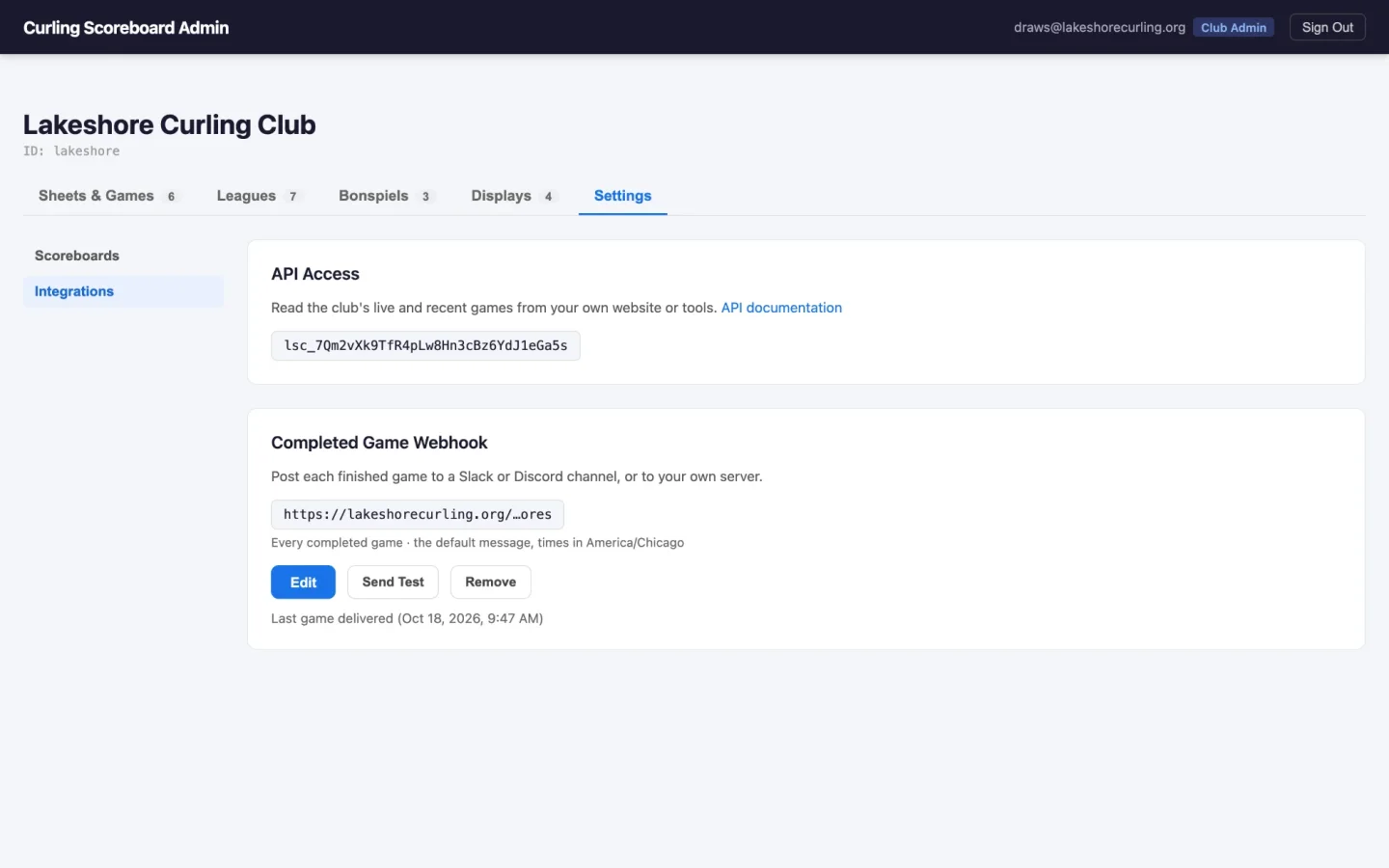
A read-only REST API covers the club, its sheets, live and completed games, its leagues and its bonspiels. Every request needs the club's API key. It's documented at /api-docs/, and there's a test page in the portal for trying calls without writing any code.
A webhook covers a simpler case: every finished game posted to a URL, which in practice means a Slack or Discord channel. Clubs can post every game, only league games, or only bonspiel games, and write their own message with variables. Discord posts are sent with notifications suppressed, so results land in the channel without buzzing everyone's phone.
The nice property of both: they're driven by what someone already does, which is tap in the score. Nobody has to re-enter results anywhere.
Keeping it running
A few things that aren't features so much as the reason none of this needs attention on a club night.
Scoreboards are left open for weeks, so the web app updates itself. When a new build ships, a scoreboard waits until there's no game in progress, then for two minutes of nobody touching it, and then finally shows a fifteen second countdown and reloads. Any touch restarts the wait. It will never reload in the middle of a draw.
Interested in this for your club?
If you run a curling club and any of the above sounds like something you'd use get in touch and we'll talk about getting your club set up. Just send a Email to contact@cloudgatestudios.com